Compare POS hardware: Find the right POS for your store
Every store moves differently. Your POS hardware should match the way customers actually check out.
This POS hardware comparison helps you choose between countertop, lane, tablet, handheld, smart terminal, and self-service POS systems based on checkout flow, transaction volume, mobility, and store layout.
SuperSonic's Mach Series runs on one connected POS platform, so you can choose the right device for each part of your operation without creating separate systems.
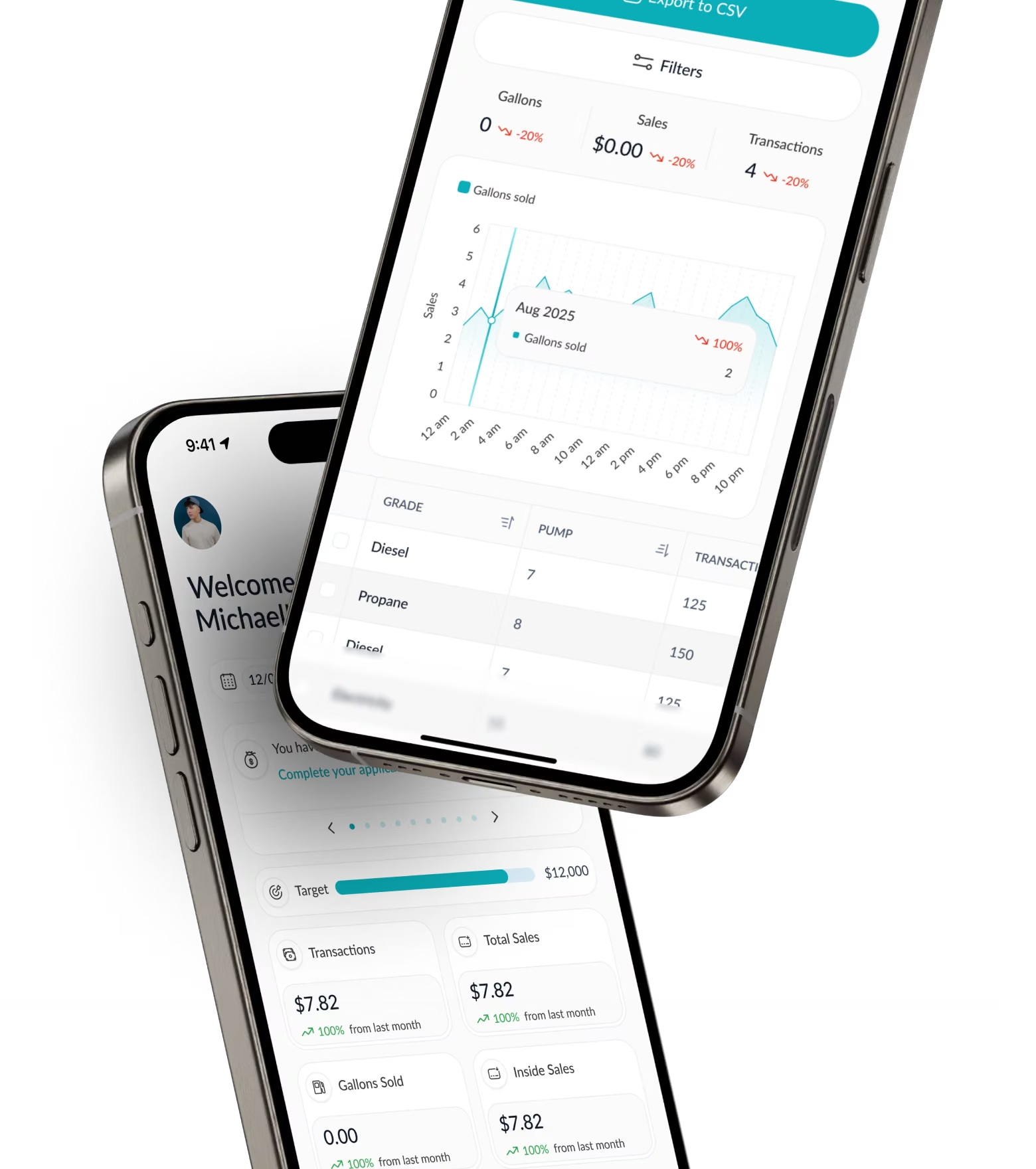
Built on one platform. Designed for different roles.
Different checkout environments need different hardware. They should not need different systems.
Across the SuperSonic Mach Series:
- Pricing rules stay aligned
- Tax setting stay consistent
- Loyalty works across connected devices
- Loyalty works across connected devices
- Inventory and reporting stay unified
One platform. Different devices. One connected operation.
Types of POS hardware
Understanding the different types of POS hardware makes it easier to choose the right setup for your store.
Most retail environments use one or more of these:


Which POS system is right for your business?
Choosing the right POS hardware depends on where and how transactions happen:
The POS built for your main counter.
Best for:
- Primary checkout counters
- Convenience stores
- Liquor stores
- Grocery and market counters
- Retailers with steady daily transaction volume
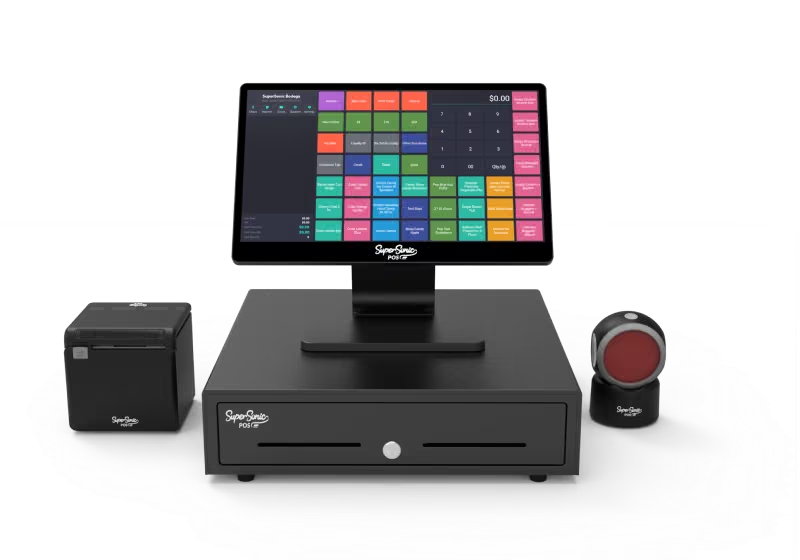
Why it fits:
- Stable, dedicated checkout
- Full peripheral support
- Built for long shifts and daily retail use
- Connected to inventory, reporting, and loyalty across all devices
The POS that expands checkout capacity.
Best for:
- High-traffic retail stores
- Grocery and market environments
- QSR and fast-casual concepts
- Stores with peak-hour congestion
- Businesses that want additional checkout capacity
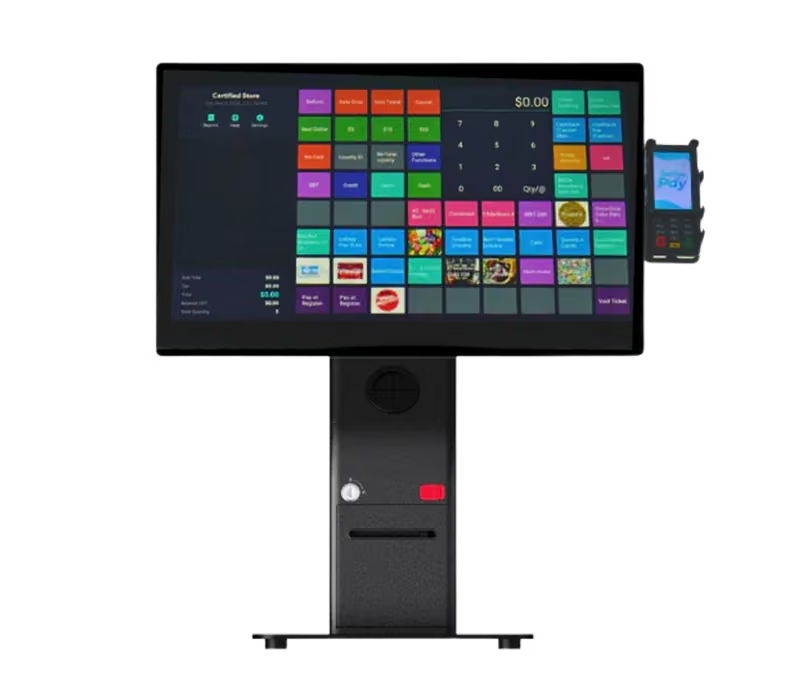
Why it fits:
- Customer-led self-checkout
- Integrated scanning and payments
- Real-time inventory and reporting updates
- Uses same pricing, tax, loyalty, and compliance rules across all devices
Full POS control in a smaller footprint.
Best for:
- Tight counter spaces
- Overflow during peak traffic
- Liquor and smoke shops
- Quick-service counters
- Food trucks and seasonal setups
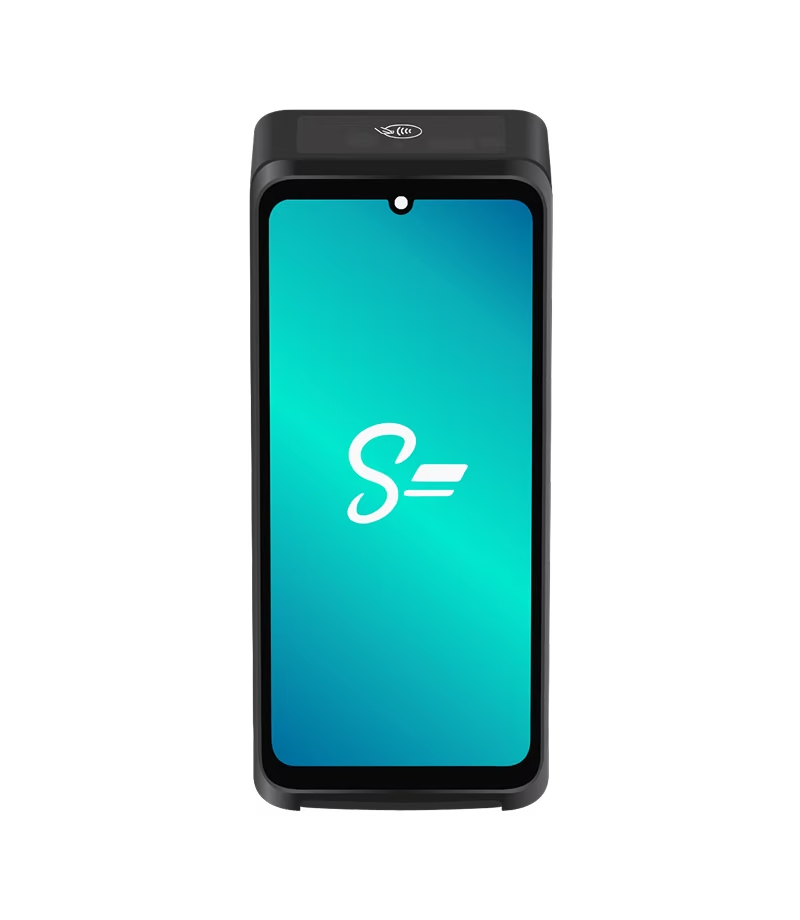
Why it fits:
- Integrated payments
- Built-in receipt printing
- Full POS functionality in a compact device
- Syncs with pricing, inventory, loyalty and reporting
The POS built for nonstop lanes.
Best for:
- Grocery stores
- Supermarkets
- Multi-lane checkout
- Large basket sizes
- Stores with sustained peak traffic
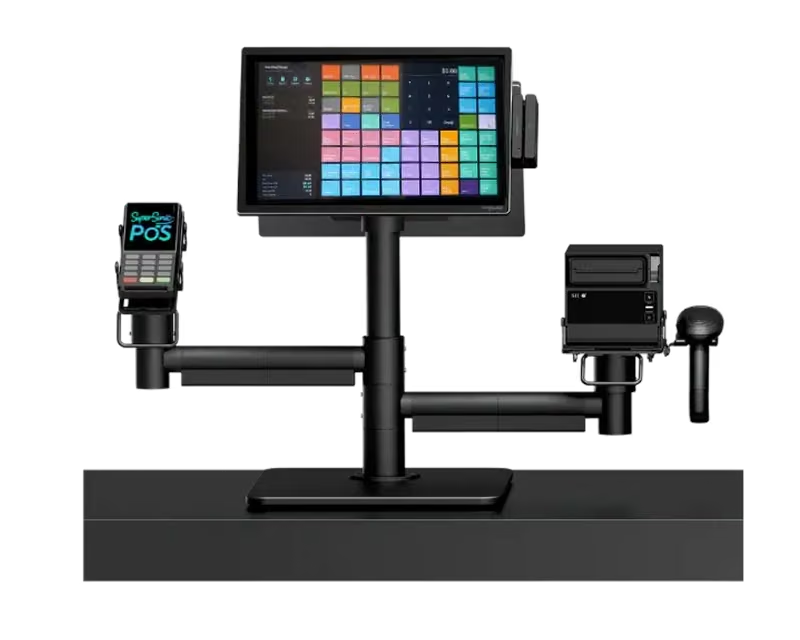
Why it fits:
- Designed for continuous traffic
- Modular peripheral configuration
- Built for multi-lane suspicion
- Pricing and inventory stay aligned across lanes
The POS that moves when your checkout needs to.
Best for:
- Small checkout spaces
- Flexible retail counters
- Line busting
- Events and pop-ups
- Stores that want both fixed and mobile use
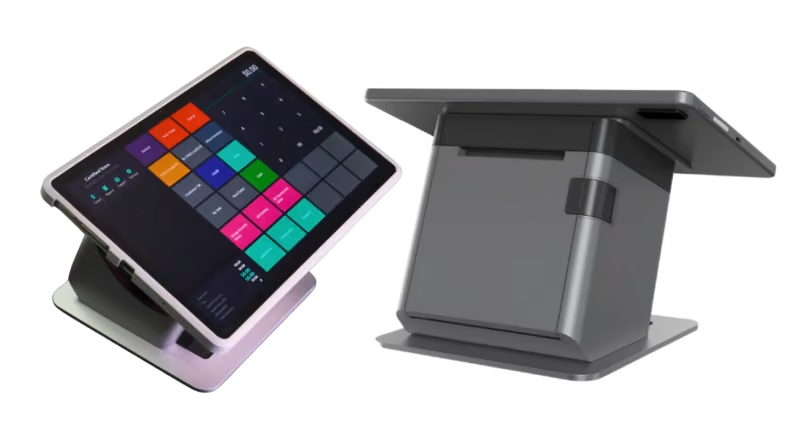
Why it fits:
- Works docked or mobile
- Supports NFC contactless payments
- Connects with scanners, printers, and cash drawers
- Keeps inventory, taxes, pricing, and reporting synchorinzed
The POS built for selling anywhere in the store.
Best for:
- Line busting
- In-aisle checkout
- Retail-floor selling
- Curbside windows
- Fast-moving stores where employees need mobility
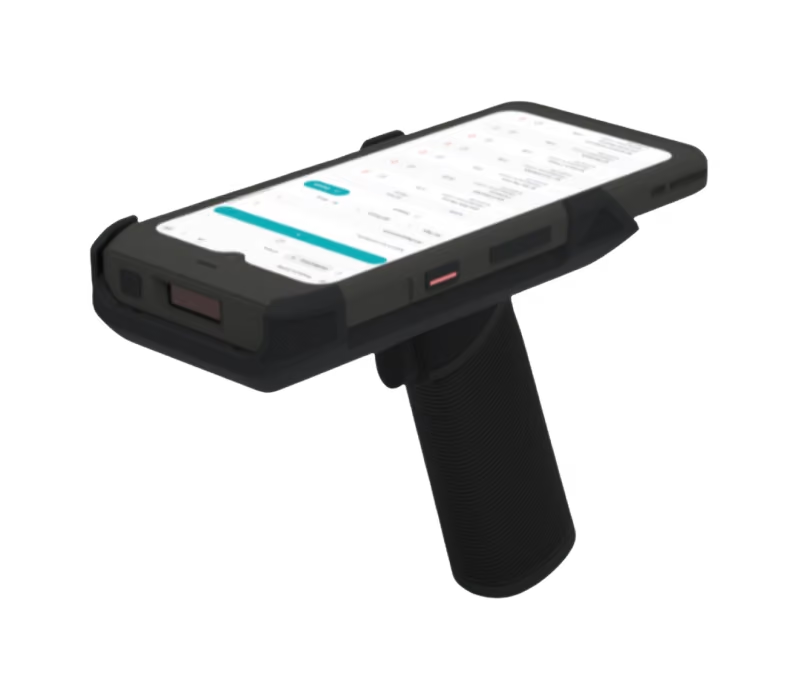
Why it fits:
- Built for handheld use
- Built-in barcode scanning
- Real-time inventory access
- Transactions sync with payments and reporting
How SuperSonic POS hardware works together across your store
Adding another way to check out should not mean adding another system to manage.
Because the Mach Series operates within the SuperSonic POS platform, you can expand your hardware around the way your business changes.
SuperSonic lets you:
- Add lanes without changing your core POS
- Introduce tablet or handheld checkout without creating separate data
- Add self-service while keeping reporting centralized
- Keep pricing and tax rules aligned
- Keep inventory synchronized
- Keep loyalty consistent across devices
FAQs
SuperSonic POS is an all-in-one point-of-sale, payment processing, and cloud-based business management platform built by store owners, for store owners.
From processing transactions and managing inventory to tracking sales and reducing losses, SuperSonic brings everything you need to run your business into one connected platform.
With SuperSonic, you get more than a POS system. You get the tools, insights, and support to take control of your operations, make smarter decisions, and get more out of every store.
Whether you're running a single neighborhood store or managing multiple locations, SuperSonic is built to help businesses of all sizes operate smarter and grow.
Our platform supports convenience stores, gas stations, liquor stores, smoke and vape shops, grocery stores, supermarkets, quick-service restaurants, and specialty retailers.
Every business operates differently. That's why SuperSonic offers flexible hardware, integrated payments, and industry-specific tools designed to fit the way you work.
With SuperSonic, you can:
- Speed up checkout: Process transactions quickly and accept credit, debit, EBT, eWIC, OTC, and other supported payment methods.
- Take control of inventory: Manage products, pricing, purchase orders, and stock levels from one platform.
- Monitor your business from anywhere: Access real-time sales, reporting, and performance insights across one or multiple locations.
- Reduce losses: Identify suspicious transactions, monitor employee activity, and connect transaction data with security footage.
- Keep customers coming back: Build loyalty with rewards programs, gift cards, promotions, and customer engagement tools.
- Connect your operations: Manage online ordering, delivery integrations, and supported fuel operations without juggling disconnected systems.
From the checkout counter to the back office, SuperSonic helps you spend less time managing systems and more time growing your business.
The right POS hardware depends on your store type, sales volume, checkout layout, and how much mobility your employees need. A fixed retail counter may only require a countertop POS with a scanner, payment device, receipt printer, and cash drawer. High-volume stores may need dedicated checkout lanes, while businesses with peak-hour lines may benefit from handheld, tablet, or self-service POS devices. Current retail POS guidance similarly recommends choosing the hardware mix based on the type of store and sales volume rather than using the same setup for every business.
A countertop POS is a fixed register designed for consistent checkout at one location. A tablet POS offers a larger mobile interface that can usually move between a docked counter setup and mobile use. A handheld POS is optimized for employees who need to move throughout the store, line-bust, scan merchandise, check inventory, or complete transactions away from a fixed register. SuperSonic's Mach 2, Mach Mini, and Mach Go are designed around those three different workflows.
High-volume retailers typically need hardware designed around sustained checkout throughput rather than occasional transactions. Dedicated lane POS hardware is best suited to primary grocery, supermarket, and other high-volume lanes, while handheld devices and self-service kiosks can add capacity during peak traffic. SuperSonic's Mach Flex is built for sustained high-volume lanes, while Mach Go can support line busting and Mach X can add customer-led checkout capacity.
Yes, and many retailers benefit from combining form factors. A store might use a fixed countertop POS at its main register, handheld devices for mobile checkout, and a self-service kiosk during busy periods. What matters is whether the devices share the same pricing, inventory, tax, loyalty, payment, and reporting environment. SuperSonic's Mach Series is designed to keep those workflows connected as merchants add different device types.

Ready to build the right POS setup for your store?
Choosing POS hardware is not about finding one device that tries to do everything.
It's about building a checkout environment that fits your store.
Let's look at how your store operates and build the combination of countertop, lane, tablet, handheld, smart terminal, and self-service hardware that fits it.